
The Cockpit That Drives AI
One seat. One AI. Everything under control.
A unified development cockpit built on Claude Code (Agent SDK) — chat, code, terminal, browser, database all in one interface.
Watch the 60-second tour
20× AI power, 20× your productivity
Run multiple AI tasks across projects simultaneously, get notified when done.
If you can run Claude Code, Cockpit works out of the box. Fully local.
Three-panel swipe UI with red-dot badges — never miss a completed task.
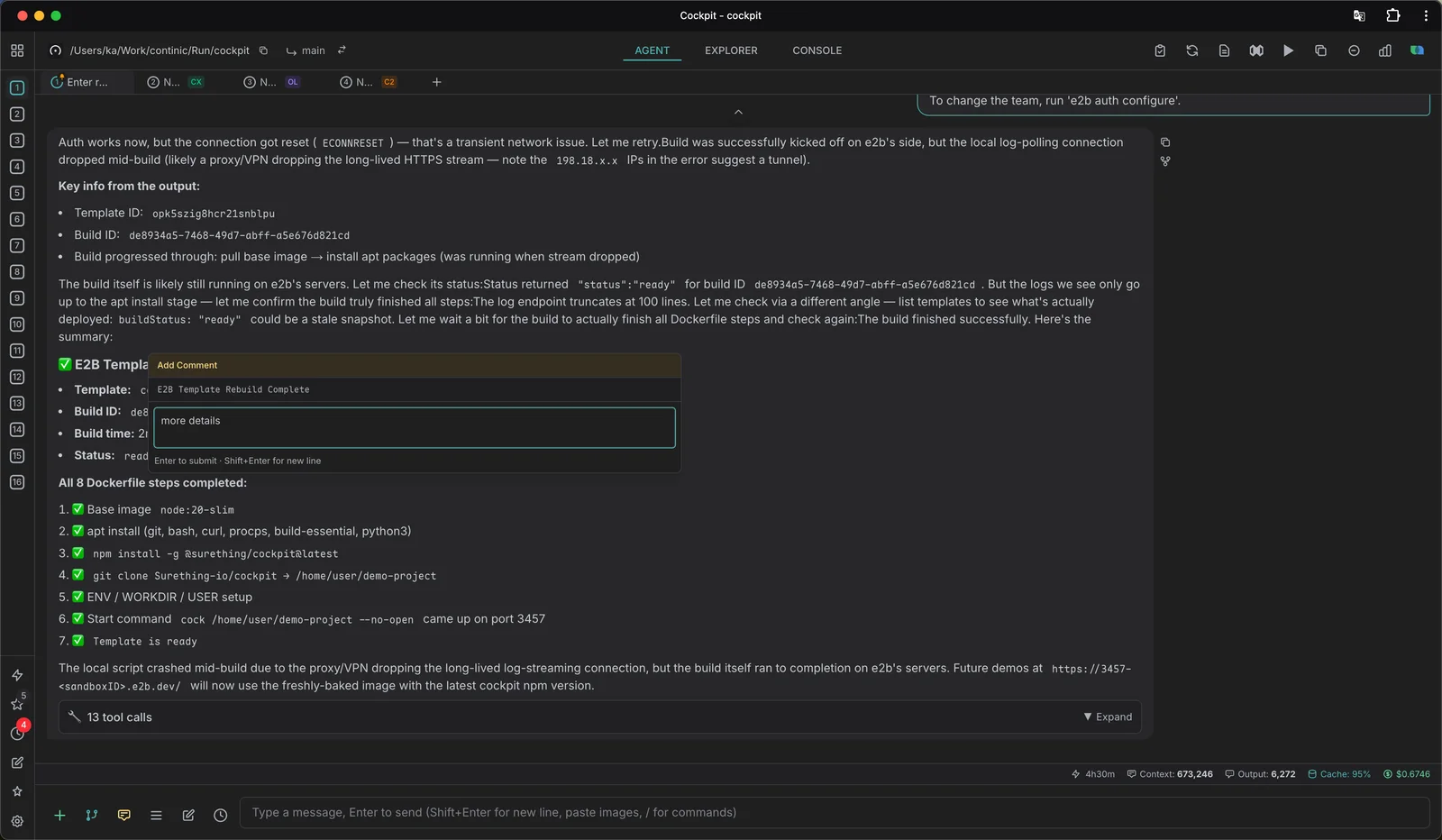
AI Chat that scales with you
- Powered by Claude Code (Agent SDK) — zero API key setup
- Multi-project concurrent sessions with notifications
- Session pinning, forking, cross-project browser
- !command prefix to run shell from chat
- Image attachments, code references, token usage tracking
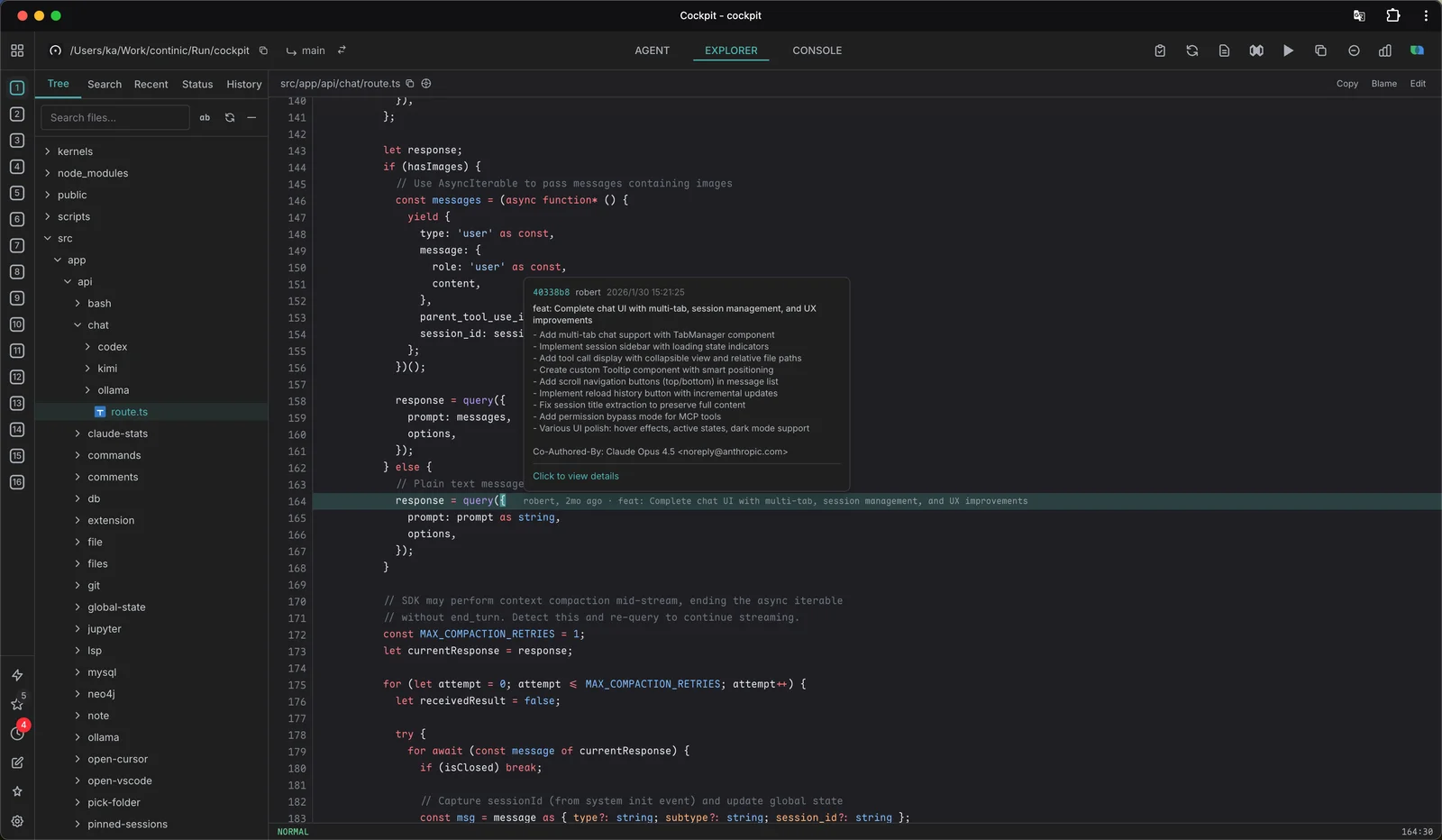
Code & files, all-in-one
- Directory / Recent / Git Changes / Git History — 4 tabs
- Syntax highlighting (Shiki) with Vi mode editing
- Git blame, diff view, branch switching, worktree
- LSP integration — go to definition, find references
- Fuzzy search (Cmd+F), JSON viewer, Markdown preview
Terminal & smart Bubbles
- Full terminal emulator (xterm.js) with shell integration
- Browser Bubble — control Chrome via accessibility tree
- Database Bubbles — PostgreSQL, MySQL, Redis
- Drag-to-reorder bubbles, grid / maximized layout
- Per-tab environment variables and shell aliases
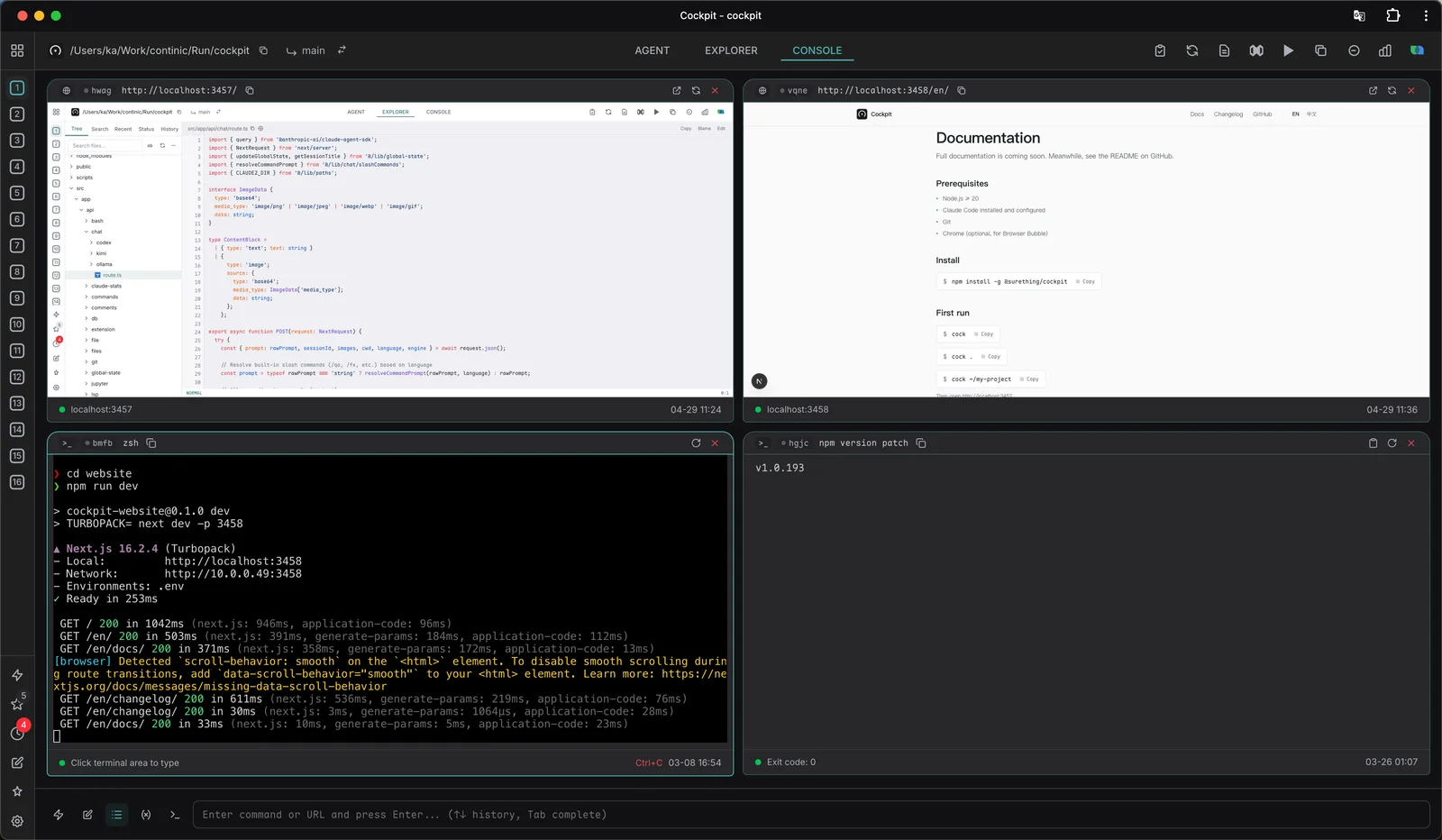
Smart Bubbles in Console
Floating panes that connect to anything — controlled by AI or by you.
Click, type, navigate, screenshot, network inspection.
Browse schema, run queries, export data.
Browse databases & tables, run queries.
Browse keys, inspect values, execute commands.
One stroke to switch the AI’s mindset
Slash commands flip the agent into a specific posture — talk first, debug only, never touch code. Drop any markdown into ~/.claude/commands/ to define your own.
/qaClarifyRestate the requirement, ask back on anything ambiguous, follow KISS — talk first, never code.
/fxDiagnoseBug evidence-chain analysis. The agent reasons through the failure end-to-end and never edits a file.
/reviewReviewReads the current diff and writes review notes — line by line, no rewrites.
/commitCommitStage what changed, draft a message in your repo’s style, commit.
Custom: any *.md in ~/.claude/commands/ or ./.claude/commands/ becomes a slash command — auto-loaded into the autocomplete menu.
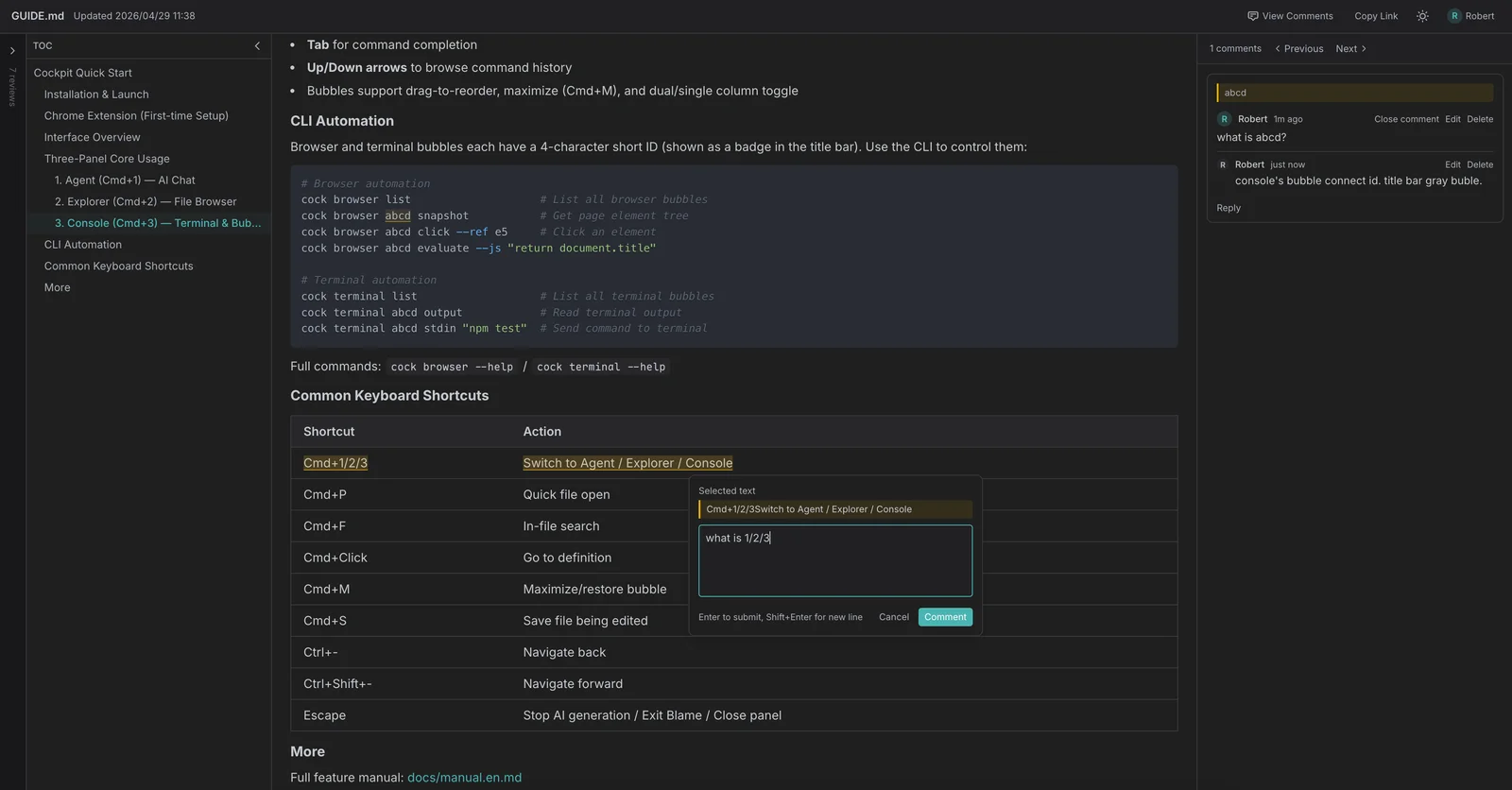
Ship faster, together
- LAN-shareable review pages — teammates need zero install
- Line-level comments with reply threads
- Send any comment back to AI as context for an automated fix
- Red-dot badges keep unread feedback visible across projects
- Built on top of GUIDE.md / Markdown — no separate review system
Scheduled Tasks
One-time, interval, or cron-based scheduling. Pause, resume, reorder, track results across projects.
Skills
Drop in any SKILL.md to teach the agent a new trick — invoke with /skill-name from chat. Manage everything from a single Skills panel.
Built on Claude Code (Agent SDK)
Cockpit uses the official Claude Code Agent SDK under the hood. If your Claude Code is configured, Cockpit works — no extra API keys.